

The Explorer Gadget is officially coming to Pokémon GO, giving eligible Trainers a built-in way to catch Pokémon and spin PokéStops while their phone is in their pocket.
Following several months of testing, the feature is entering a phased rollout for Trainers at level 20 and above. It is not yet available to every account, and Scopely has not announced a date for its global release.
 The Explorer Gadget is entering an official phased rollout. More information about global availability will be shared at a later date.
What Is the Explorer Gadget?

The Explorer Gadget is an in-game auto-catcher that automatically throws Poké Balls at nearby Pokémon and spins PokéStops while you explore.
It continues working when Pokémon GO is closed or not actively being used, although you must still be moving with your device for it to operate.
 Available to Trainers at level 20 and above.
 Automatically attempts to catch nearby Pokémon.
 Automatically spins nearby PokéStops.
-
Works while Pokémon GO is closed or running in the background.
-
Can be paused and resumed during its daily use.
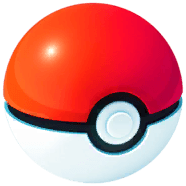 The Explorer Gadget uses regular Poké Balls only. It cannot use Great Balls or Ultra Balls.
Explorer Gadget Availability
The Explorer Gadget is currently in a phased rollout, so it may not appear for every eligible Trainer immediately. Scopely says more information about worldwide availability will be shared later.
The feature was first discovered through datamining before entering limited testing in several countries. Access then expanded across North America, Europe, and Asia shortly before the official announcement. If you are level 20 or above and do not see the Explorer Gadget, your account may simply not be included in the current rollout.
How to Use the Explorer Gadget
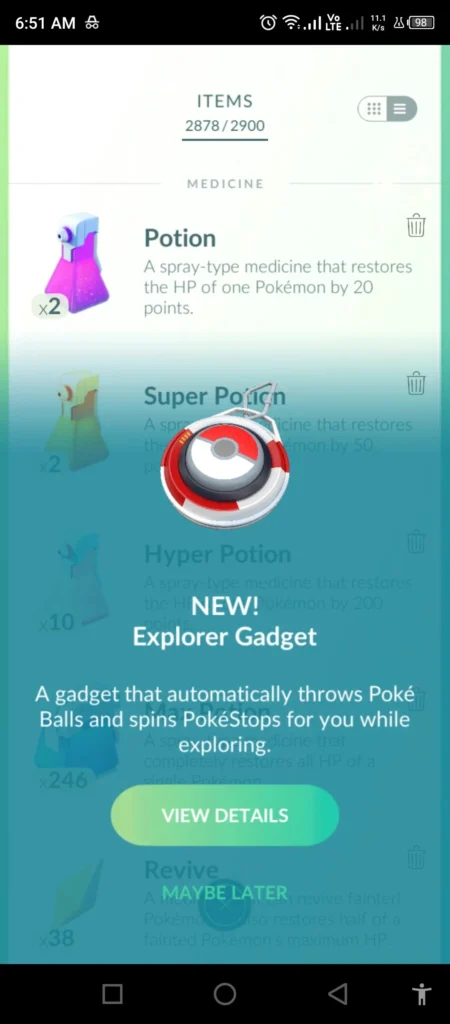
- Tap the Explorer Gadget icon in the top-right corner of the Map View, or open the Key Items section of your Item Bag.
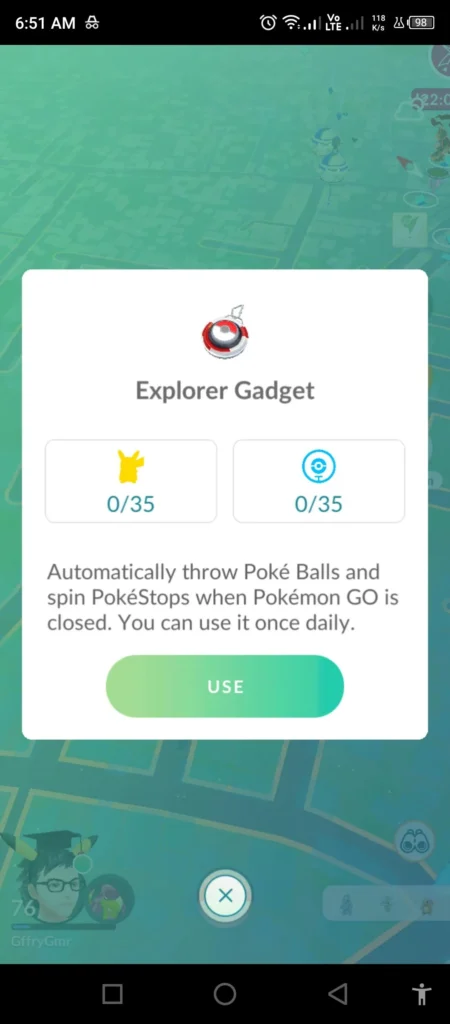
- Tap Use in the Explorer Gadget window.
- Continue exploring with your device. Pokémon GO can be closed or left running in the background.
- Open Pokémon GO and tap the Explorer Gadget icon to check your results.
The summary shows which Pokémon were caught, the total number caught, and how many PokéStops were spun. Pokémon caught by the Explorer Gadget are displayed from newest to oldest.
Daily Catch and PokéStop Limits
The Explorer Gadget’s daily catch and PokéStop limits are equal to your current Trainer Level. A Level 50 Trainer can catch up to 50 Pokémon and spin up to 50 PokéStops per day, while a Level 80 Trainer receives a limit of 80 for each.
The catch and spin limits are tracked separately. Once either limit is reached, the Explorer Gadget will stop that activity for the rest of the day.
-
Your daily catch and PokéStop limits are equal to your current Trainer Level.
 The Explorer Gadget stops catching Pokémon if your Pokémon Storage is full.
-
The Explorer Gadget stops spinning PokéStops if your Item Bag is full.
 If you activate it without any Poké Balls, you will receive some Poké Balls to get started.
-
If you run out of Poké Balls during use, an alert will appear on the Map View.
Which Pokémon Will It Skip?

The Explorer Gadget will not attempt to catch every Pokémon it encounters.
-
Pokémon that are not yet registered in your Pokédex will be skipped.
-
Mighty Pokémon will not be targeted.
-
Unregistered forms may still be targeted if another form of that Pokémon is already registered.
For example, if you have registered one Oricorio style, the Explorer Gadget may attempt to catch other Oricorio styles that are still missing from your Pokédex.
Using the Explorer Gadget With Pokémon GO Plus +
The Explorer Gadget and a physical accessory such as Pokémon GO Plus + cannot operate at the same time. You do not need to unpair your accessory, but it must be disconnected before activating the Explorer Gadget.
-
If an accessory is paired, the Explorer Gadget icon may not appear on the Map View. Open the Key Items section to activate it instead.
-
The Explorer Gadget and a physical accessory cannot be active simultaneously.
-
Switching to a physical accessory while the Explorer Gadget is active ends the Gadget session for the day.