

Good day, Pokémon Trainers! Pokémon Champions is finally available on mobile and like me, I’m pretty sure many are eager to use their favorite Pokémon in the game. But did you know that you can use your favorite partners from Pokémon GO in Pokémon Champions? Well read along to find out how!
How To Transfer Pokémon

Pre-requisites:
- Pokémon GO, Pokémon Home, and Pokémon Champions installed on your device.
- A Nintendo Account
- All three devices connected to the same Nintendo Account
With that out of the way, let’s get down with:
Step 1: Connecting Pokémon GO to Pokémon Home
To use your Pokémon from Pokémon GO to Pokémon Champions, you must first send them to the Pokémon storage service Pokémon Home.
In order to do that:
- Turn on Pokémon Home.
- The app will prompt you to optionally connect to your Nintendo Account. Log-in to the account you intend to use for all three games. If you don’t have an account there will be a sign-up option on the screen that pops up.
- After successfully finishing logging into and setting up Pokémon Home you can move on to Pokémon GO.
- On Pokémon GO, go to Settings, then “Connected Devices and Services”.
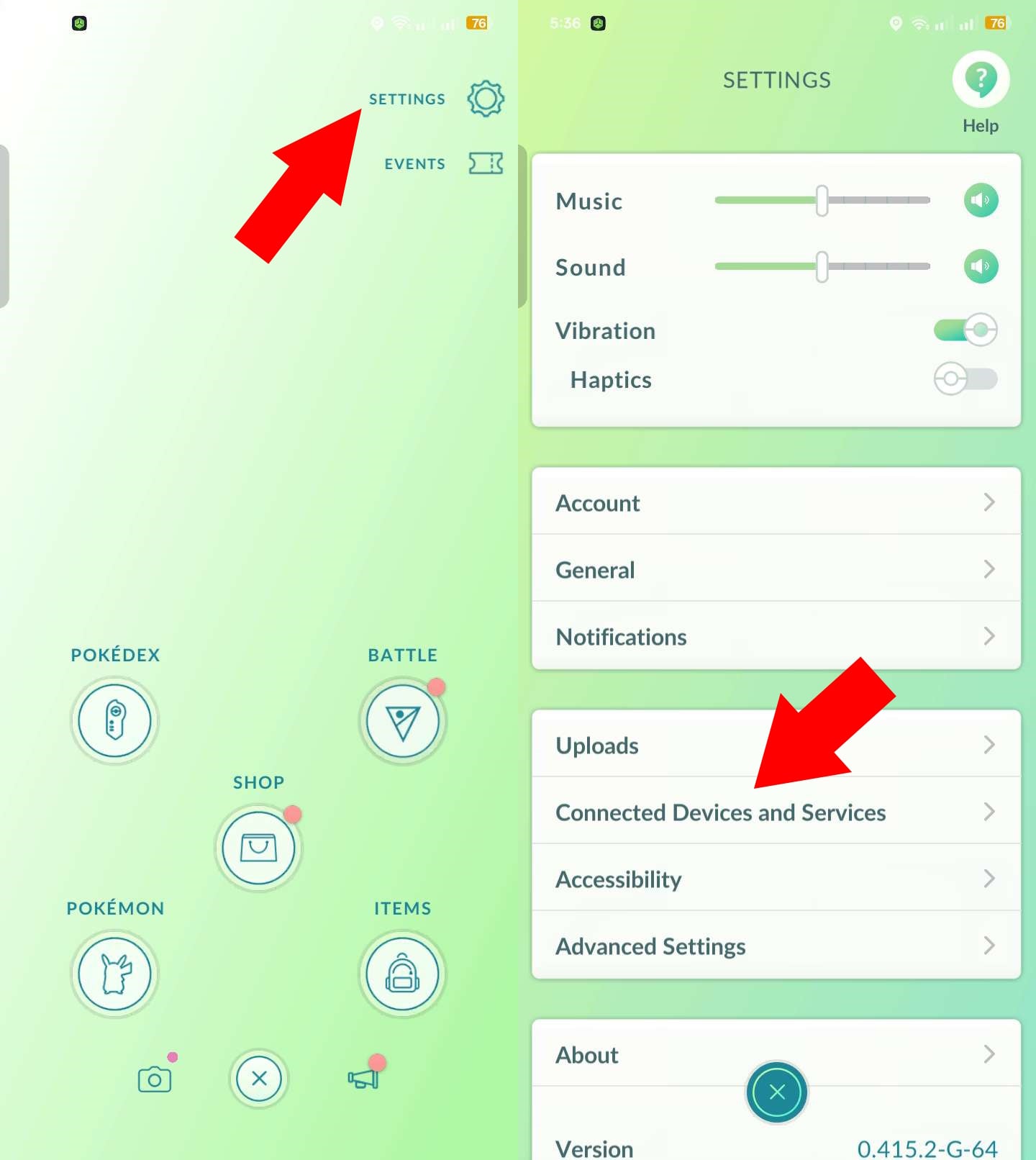
- Tap on the Pokémon Home option and then connect it to the Nintendo Account you logged into Pokémon Home with.
- After logging in, you can now send Pokémon from Pokémon GO to Home whenever you want by going into “Settings->Connected Devices and Services->Pokémon Home” whenever you want.
- You can then choose any Pokémon from your collection and send them to home in exchange for “GO Transfer Energy”. This energy recharges over time or you can use Pokécoins to recharge it faster.
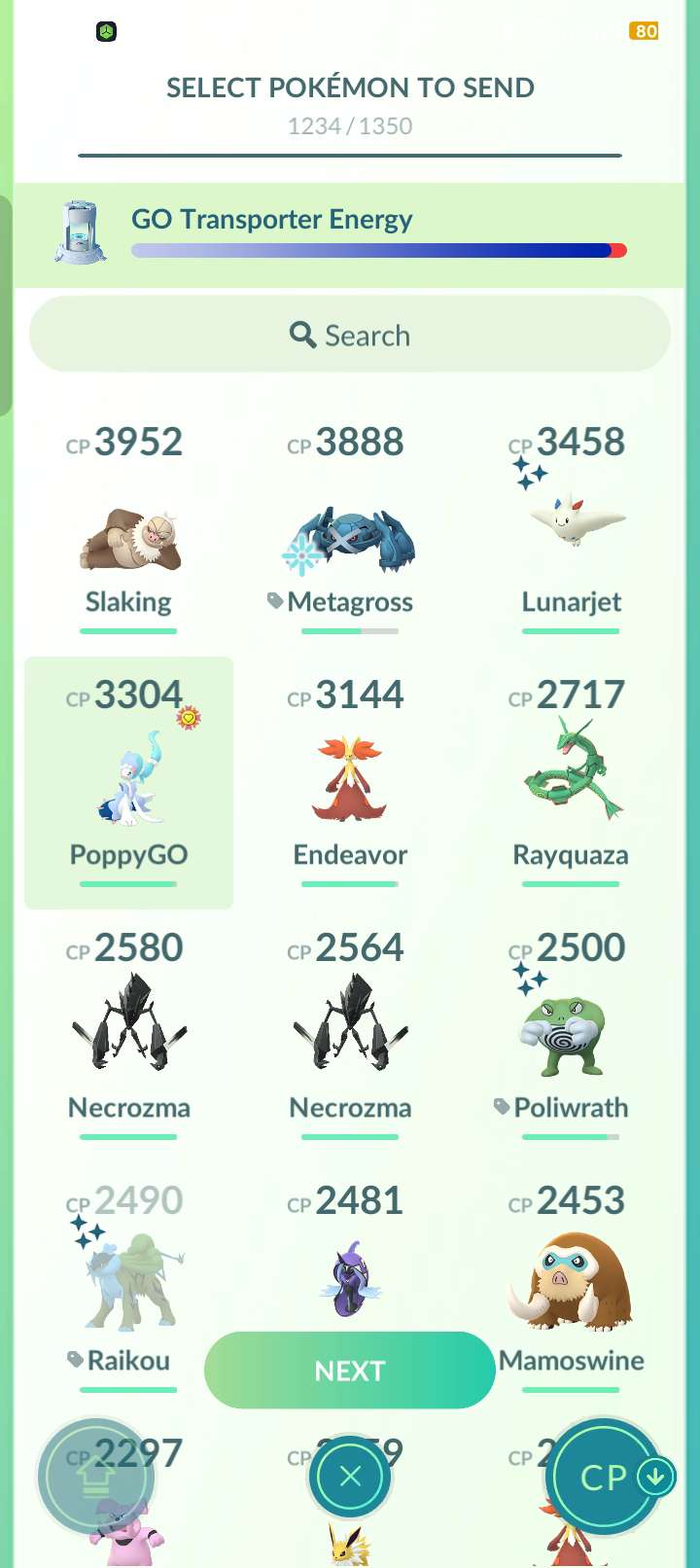
Step 2: Turn on Pokémon Champions for The First Time
- This doesn’t apply if you’ve already played Pokémon Champions on your mobile device.
- Turn on Pokémon Champions and then login the same Nintendo Account you’ve used for Pokémon Home and Pokémon GO.
- If you already played the game and did not connect your Nintendo Account, don’t worry, you can do so in Pokémon Champion’s “Settings” menu under “Accounts”
Step 3: Send Pokémon from Pokémon Home to Pokémon Champions
- Now finally we can start sending Pokémon we’ve sent from GO to Home further to Champions. When you turn on home, there will be a notification pop-up to address that some Pokémon from GO has been sent.
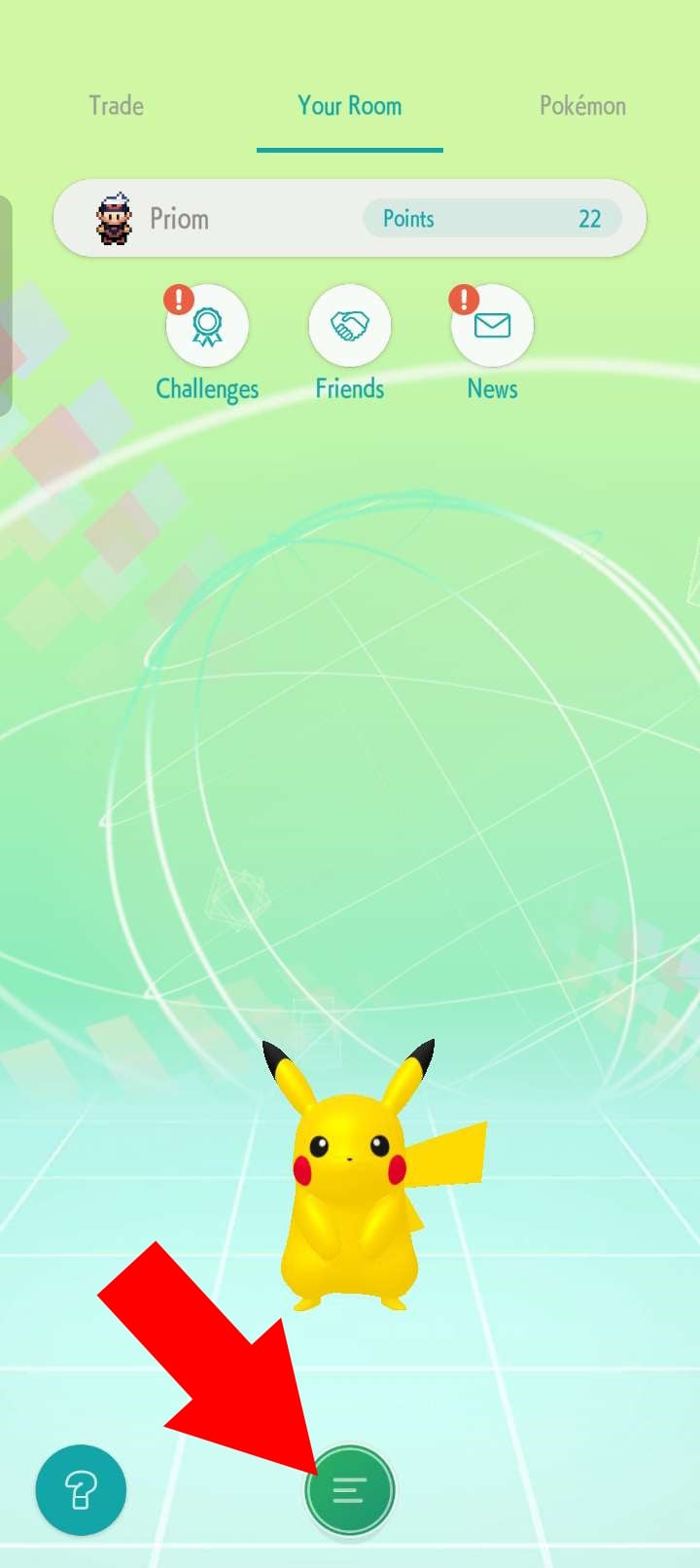
- Turn on Pokémon Home and tap on the Hamburger Icon, and then tap on “Options”.
- Tap on “Send for a Visit” under “Link with Pokémon Champions” after successfully linking.
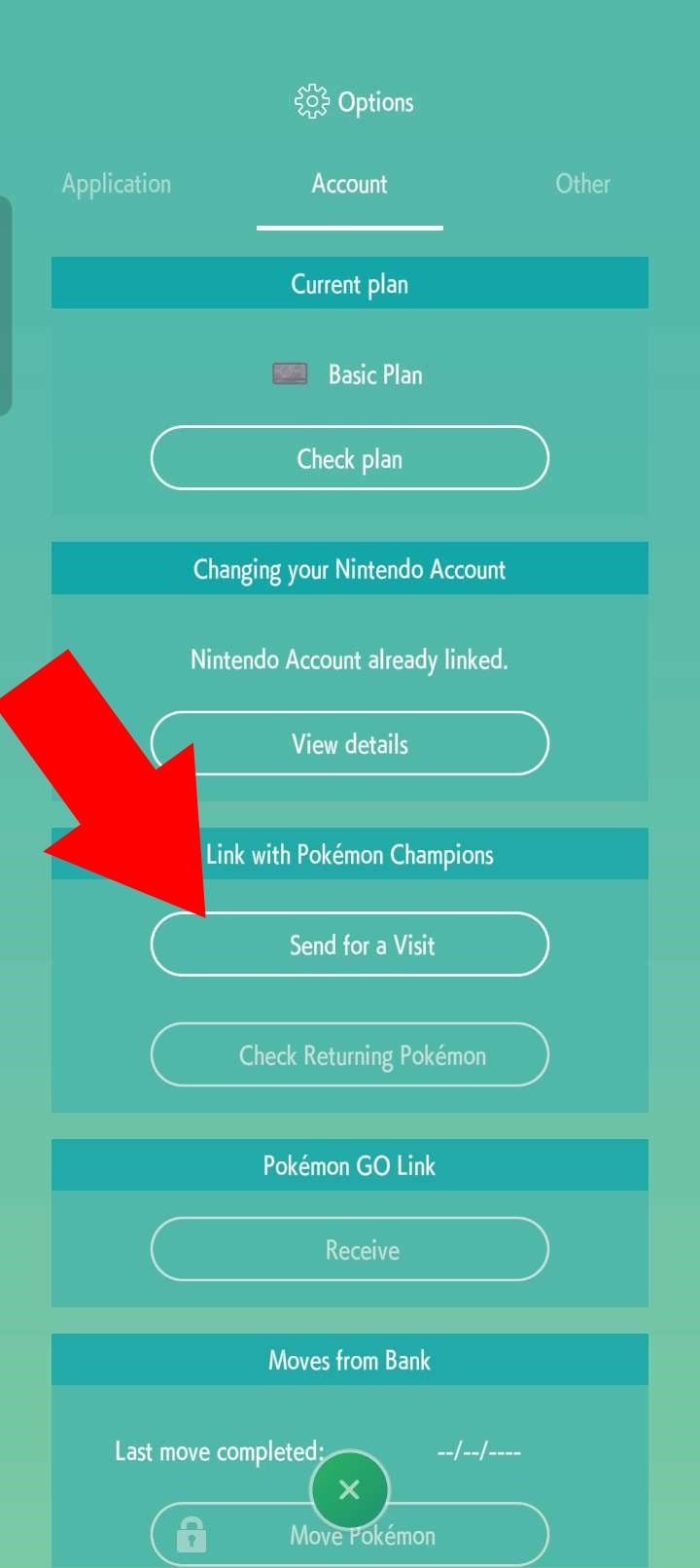
- Then just choose the Pokémon you’d like to send, and then cofirm via the Hamburger Icon in the bottom.
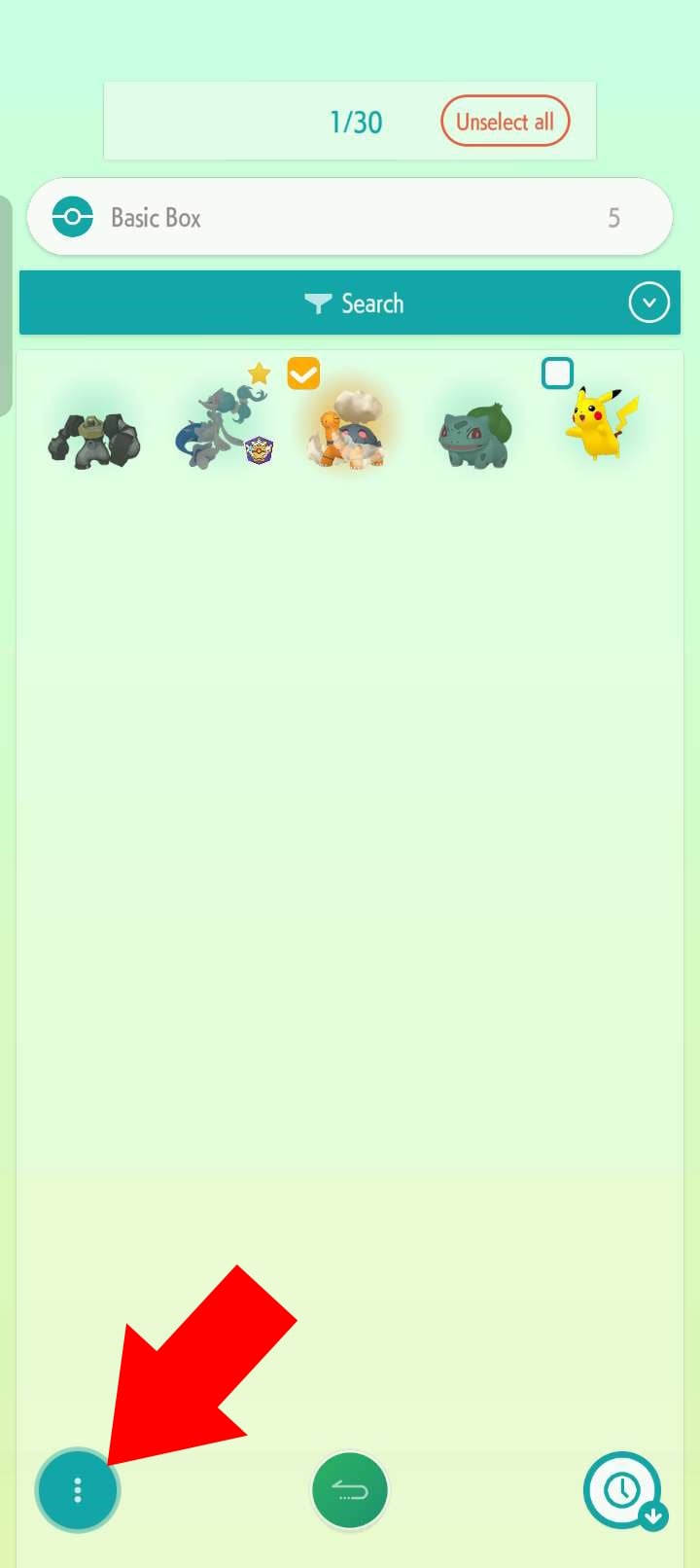
Step 4: Receive Your Pokémon within Pokémon Champions
- Go back to Champions and select “Recruit” on the main menu screen.
- If all went well, there should be an “!” icon on “Collect Pokémon from Home”. Tap on that button.
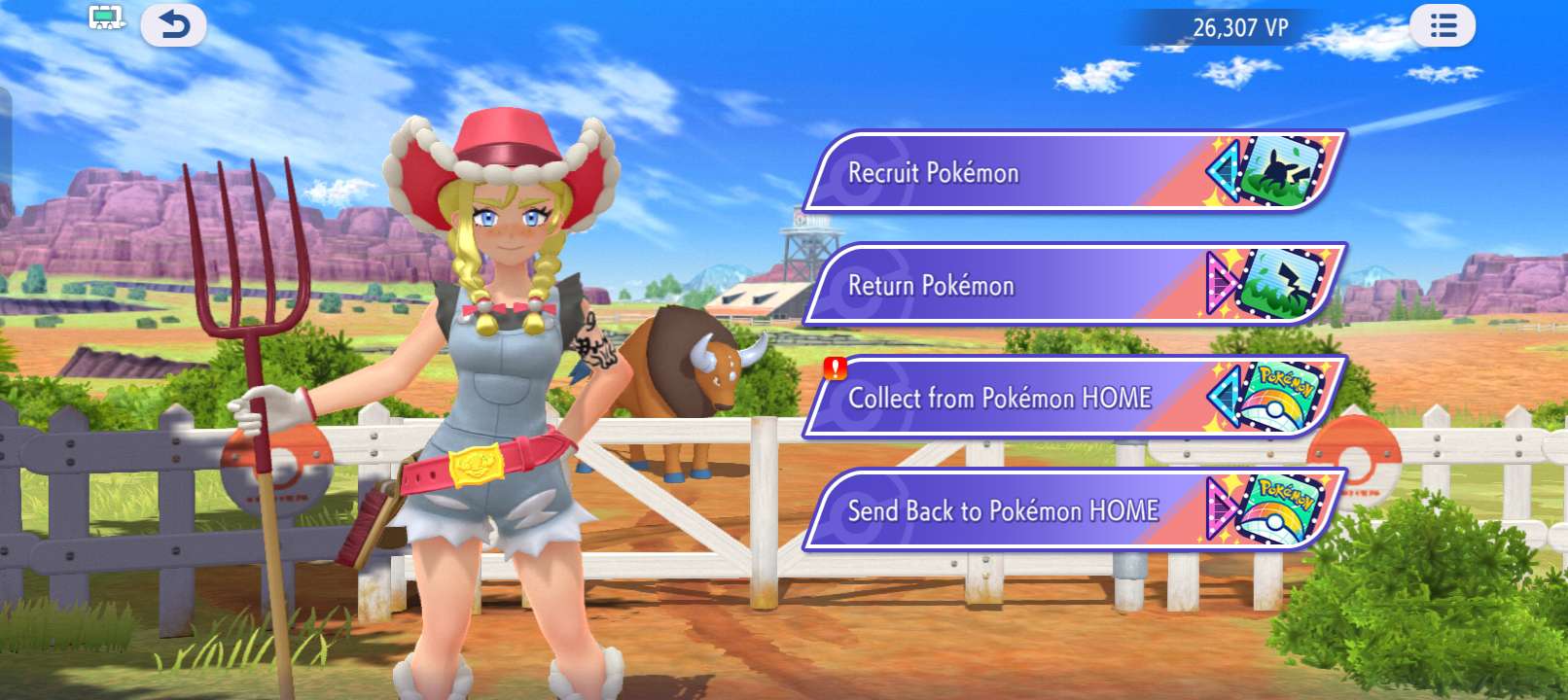
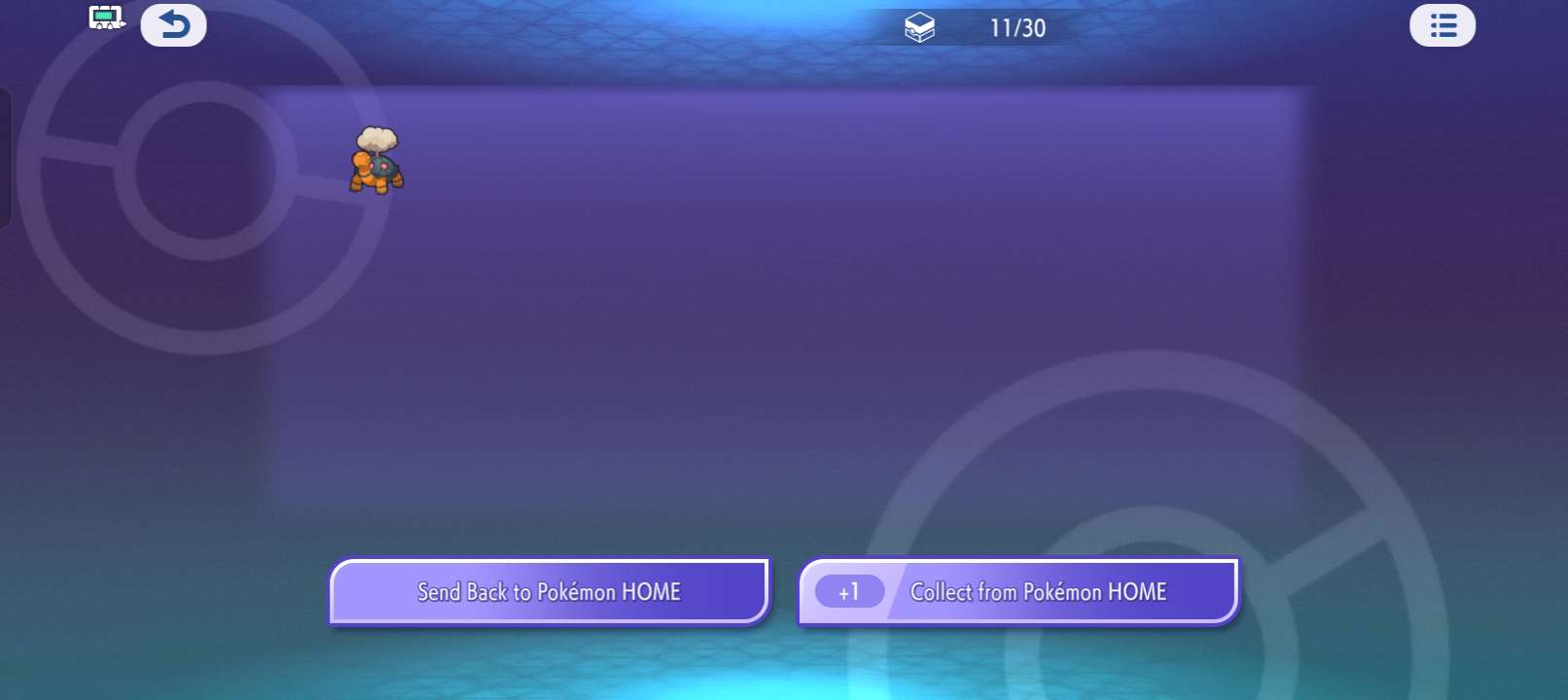
- Tap on “Collect from Pokémon Home” on the next screen and you now have your Pokémon from GO in Champions!
Why Transfer Pokémon from GO
With all that being said, you might be wondering what’s the point of sending Pokémon from GO to Champions in the first place. Especially since you can recruit Pokémon in Champions itself in the first place. Well there are three primary reasons:
- Saving VP: In order to normally recruit Pokémon in Pokémon Champions, you need to use VP, the game’s main currency. These Pokémon will not have battle ready stats, moves, or abilities. So you will have to spend VP to parmanently recruit them first and then you’d have to spend more VP to change their stats. But if you bring your Pokémon from Pokémon GO, even if they don’t have the right stats, moves, or abilites, you’d still get to avoid spending VP on recruiting the Pokémon in Champions itself. Not to mention that you don’t have any choice on which Pokémon you can recruit at any given time in Pokémon Champions.
- Shiny Flexing: If you’ve been playing GO for a while, you probably have more than a few shinies you’d like to show off. And now you can do so in a whole new game and battlefield!
- Playing With Your Favorites: Perhaps the most important. You may have had a Pokémon in GO that you’ve raised and cared about, maybe even for years that you haven’t found any use for in GO itself. Now you can play with that Pokémon in a whole new way in Champions.

Frequently Asked Questions
Can I transfer Any Pokémon from Pokémon GO to Pokémon Home?
No, certain Pokémon, such as Gigantimax Pokémon or Pokémon caught with GO Safari Balls, cannot be sent from GO to Home.
Can I Transfer Any Pokémon from Pokémon Home to Pokémon Champions?
Again, no. Not every Pokémon is available to use in Champions yet, you can only send Pokémon that are actually available in the game.
Do My Pokémon’s IVs, CPs, Levels, etc. Matter in Pokémon Champions?
No. Levels and IVs do not factor into Pokémon Champions. Instead you put points into each stat manually by spending VP. When you send your GO Pokémon to Home, they get a random Ability, Nature, and moveset as well!
Can I Send My Pokémon Back to Pokémon GO?
No, transferring from GO to Home is a one way trip. However, you CAN send Pokémon back from Pokémon Champions to Pokémon Home, if you want to use your Pokémon in other games.