

Scopely has announced a series of gameplay and quality-of-life updates that will be coming to Pokémon GO! They shared that they are intending to ‘make your adventures as fun, intuitive, and accessible as possible’, so let’s see what will be changing.
Zygarde Cells on Routes


Zygarde Cells discovered on a Route will now be received as a reward when you complete the Route. That means you don’t need to collect them from the map, so no more making sure you remember to check for them!
The probability of finding Zygarde Cells will stay the same, so you still may not find them on every Route. This is a great update, with a busy map it could sometimes be tricky to spot Zygarde Cells, and having to remember to collect them before you hit complete route often left you hanging around at the end of a route for a few minutes just in case you didn’t spot them at first, or they spawned in super close to the end.
Compass and Weather Icons

The Compass and Weather icons have been combined into a single dynamic icon that adjusts based on your actions.
The Compass icon displays while rotating or zooming your view, while the Weather icon displays at all other times.
Tapping the Weather icon displays active weather conditions and boosts, and tapping the Compass icon, while visible, will toggle the viewing direction when you’re on the map.
This makes the game map a little bit less busy, and let’s be honest, most people don’t tap on these all that often, other than by accident!
★ 100% Pokémon Transfer Warnings


Now this is a great quality-of-life update. You will now get a warning in-game when you attempt to transfer a 100% perfect IV Pokémon!
You will now receive a confirmation prompt before transferring any Pokémon that has maxed-out stats. This warning also displays the exact count of ★ 100% Pokémon selected during bulk transfers.
Map View Display Improvements
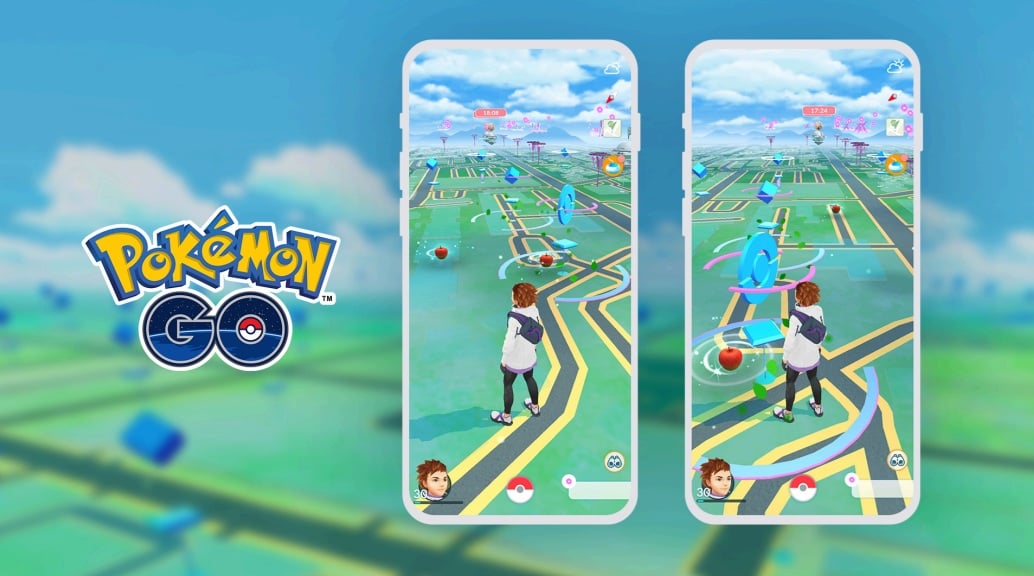
The Map View spacing has been enhanced to reduce overlap between wild Pokémon encounters, Gyms, Power Spots, and PokéStops, making it easier to tap on specific encounters. No more not being able to click on a spawn that is hiding under a Gym or PokéStop! As someone who once couldn’t click on a Galarian Articuno encounter because it spawned it on a PokéStop, I appreciate this.
Checking In to Community Ambassador Meetups


Trainers can now check in to a meetup directly from the in-game map or a web browser, rather than having to use Campfire.
- Open the in-game map from the Nearby menu
- Find the purple Meetup pin on the map
- Verify the event is listed as “Hosted by a Community Ambassador”
- Tap Check In
Check-in opens 15 minutes before the meetup is scheduled to start.